Paper letters that pass print-and-mail validation.
Services such as Pingen, Stannp and Docsaway check every page before it is printed: the address must sit inside a fixed box, the franking area must stay empty, nothing may touch the edge. One element in the wrong place and the letter comes back with a validation error. Shablonix starts you from letters already laid out for those rules.
What this looks like in Shablonix
- The address goes in one exact box Print-and-mail services read the recipient from a fixed area of page one. A line that runs outside it, or text the scanner picks up by mistake, stops the letter.
- Franking and border zones stay empty The area around the window is kept free for postage, the page edge for the printer, and some services reserve a corner for their own marks. Content there fails validation.
- Starters already laid out for the rules Shablonix ships A4 letters built against each service’s published geometry. The editor draws the zones over the page while you work; the PDF carries only the letter.
- Missing fields print nothing A three-line address leaves the fourth line empty. A demo value never ends up in the window of a real envelope.
The zones each service checks, drawn on the page.
This is what you see in the editor. The coloured boxes are guides on screen only; the PDF you send contains the letter without them.
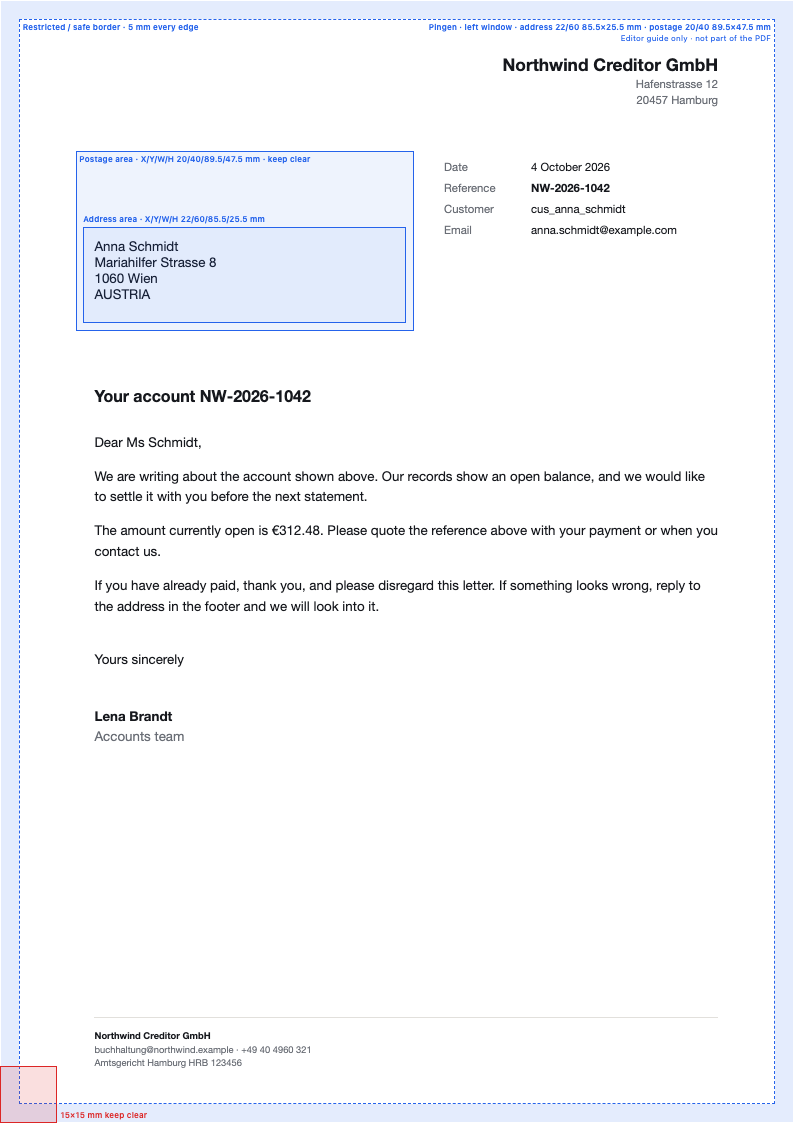
Address area 22/60 mm, 85.5 × 25.5 mm. Postage area around it kept clear, 5 mm border, 15 mm corner at the bottom left.
From the published layout requirements
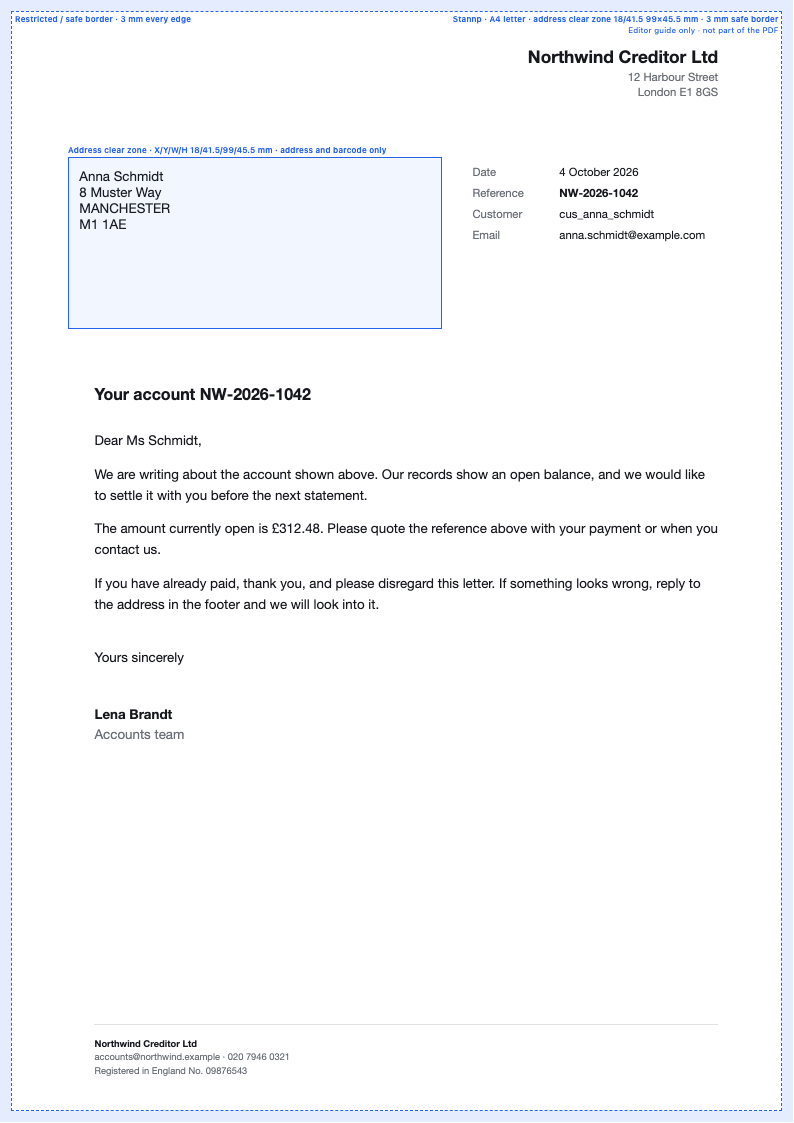
Address and barcode clear zone 18/41.5 mm, 99 × 45.5 mm, inside a 3 mm safe border.
Measured from the published A4 design guide
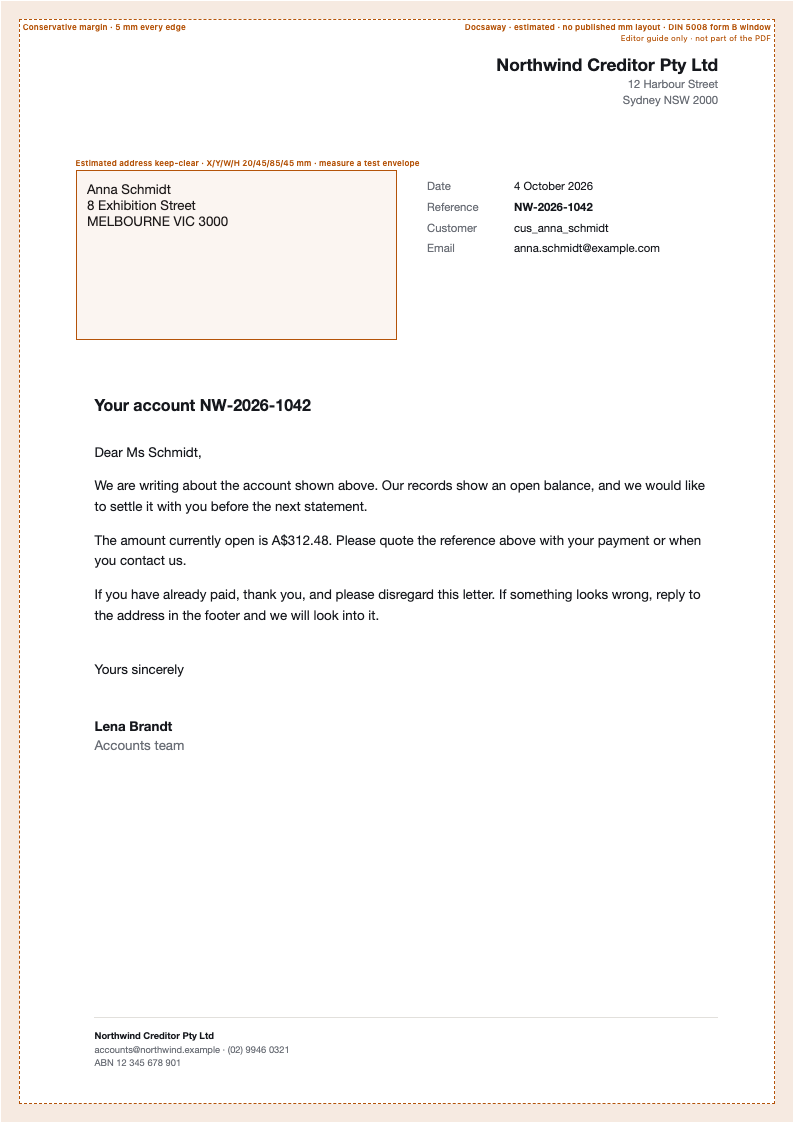
Address keep-clear 20/45 mm, 85 × 45 mm (DIN 5008 window) with a 5 mm margin.
Conservative estimate: no millimetre layout is published
Shablonix is not affiliated with these services. Layouts follow their published specifications as of October 2026; services change their rules, so send a test letter before your first live run.
Your record, our layout, their postbox.
- 1 Your system sends the case Debtor, address lines, balance and reference as JSON, from the product that already owns the record.
- 2 Shablonix returns the letter POST /v1/generate fills the template you approved and returns an A4 PDF that keeps to the zones.
- 3 Your mail service prints and posts it Upload the PDF to the service you already use. Sending and tracking stay where they are today.
Same call as every other document.
Template ID and JSON. Layout changes stay in the editor.
POST https://api.shablonix.online/v1/generate
Authorization: Bearer tf_live_…
Accept: application/pdf

{
  "template_id": "payment-letter",
  "data": {
    "recipient": {
      "name": "Anna Schmidt",
      "line1": "Mariahilfer Strasse 8",
      "line2": "1060 Wien",
      "line3": "AUSTRIA"
    },
    "customer": { "balance": "€312.48" },
    "letter": { "reference": "NW-2026-1042" }
  }
}